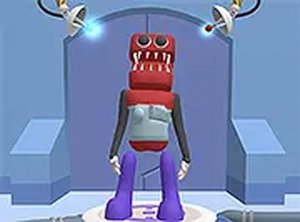
Creative Avatar Design Workshop opens with a clean workspace where users select a base face from several provided templates. These templates serve as the foundation for each new design. From there, the customization options expand quickly, offering choices for eyes, noses, mouths, and additional decorative items like hats or glasses. The interface uses large, clearly labeled icons that respond to a single click, making the selection process intuitive even for younger players. Each change appears instantly on the character preview, allowing for rapid experimentation without any lag or confusion.
The toolkit includes a wide range of facial features and accessories. Users can mix and match different eye styles, from simple dots to more detailed shapes, and pair them with various mouth expressions. Horns, ears, and other playful add-ons let creators push their designs toward the silly or the stylish. The system does not restrict combinations, so a character can have multiple accessories layered together. This open-ended approach means no two creations need look alike, encouraging repeated use as players discover new looks.
Every element in Creative Avatar Design Workshop is crafted to be appropriate for all ages. There are no violent themes, mature references, or complex mechanics that might frustrate younger users. The color palette is bright and cheerful, and all character parts are cartoonish rather than realistic. This makes the game a safe choice for parents looking for a constructive online activity. The browser-based nature also means no downloads or accounts are required, reducing barriers to entry for children and casual users alike.
Once a character is complete, players have the option to save their work locally or share it with friends. The save function captures the design as an image file, which can be used as a profile picture or printed out. Sharing options may include generating a simple link that others can view. This social component adds a layer of motivation, as users can show off their latest creations and get inspired by what others have made. The process remains simple, with no complicated export settings to navigate.
To fully enjoy the experience, try starting with a base face that appeals to you and then gradually add features one at a time. Experimenting with unexpected combinations often leads to the most memorable characters. If you feel stuck, looking at the work of others can spark new ideas. The key is to treat each session as a playful exploration rather than a task to complete. Since there are no scores or time limits, the focus stays on creativity and personal expression.


Player Comments
Sign in to comment
You must be logged in before posting a review or rating.
No account? Create one
No comments yet. Be the first to comment!