Fashion Unbox Studio stands out for its relaxed approach to fashion play. The unboxing phase adds a layer of surprise that keeps each session fresh, while the makeup and outfit tools offer genuine creative freedom. The absence of timers or failure states makes it ideal for younger players or anyone seeking a low-stress activity. The bright, clean visuals and simple touch controls ensure that the game is accessible on both phones and tablets. It is a well-designed option for those who enjoy experimenting with style in a safe, ad-free environment.
Description
Unboxing & Discovery
Players start by selecting any surprise box from a collection displayed on screen. Each box contains a single cosmetic or fashion item, such as a lipstick shade, a pair of earrings, or a patterned top. The order of opening is entirely up to the player, encouraging a sense of personal exploration. Once a box is opened, it can be moved aside to a recycle area, keeping the workspace tidy. This initial phase focuses on the anticipation of revealing what is inside each package, with no time pressure or required sequence.
Makeup Application Process
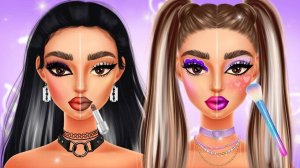
After all boxes are opened, the player moves to a makeup screen where the character's face is shown. Using the collected cosmetics, players can apply eyeshadow, blush, lipstick, and other items by tapping on the face. Each cosmetic can be selected from a palette, and the color or style can be changed before application. There is no scoring or penalty for mistakes, so players can experiment freely with different color combinations and placements. The interface is designed for touch controls, making it easy to apply products with simple taps.
Outfit Coordination & Styling
The dress-up phase presents a wardrobe filled with the items uncovered earlier. Players can browse categories like tops, bottoms, shoes, hairstyles, jewelry, and bags. Each item can be previewed on the character before committing to a selection. The goal is to create a cohesive look that could be shared on a social media feed. Because the game does not enforce any right or wrong choices, players are free to mix patterns, colors, and styles. This open-ended approach encourages creative thinking about fashion coordination.
Creative Freedom & Relaxed Play
Unlike many games that use timers or scoring systems, this title removes all performance pressure. There are no levels to complete, no high scores to beat, and no penalties for taking a long time. The entire experience is designed to be a calm, self-directed activity. Players can pause at any point, change their mind about a makeup color, or swap an outfit piece without consequence. This makes the game suitable for younger players or anyone looking for a low-stress creative outlet.
Visual Style & Accessibility
The game uses bright, clean graphics with a friendly cartoon aesthetic. Characters and items are depicted with soft lines and pastel colors, creating a welcoming atmosphere. The interface relies on large buttons and clear icons, so reading skills are not required to navigate the menus. The game is optimized for both mobile phones and tablets, with touch input that responds quickly to taps and drags. This design ensures that players can enjoy the experience on a variety of devices without frustration.
Compatibility
▸ Desktop: Chrome / Edge / Firefox / Safari
▸ Mobile: iOS Safari / Android Chrome
▸ Tablet: iPadOS Safari / Android Tablet Browser
Keep your browser updated for the best experience
Faq
Is Fashion Unbox Studio free to play?
Yes, the game is free to download and play. It may include optional in-app purchases for additional cosmetic items or outfit packs, but the core unboxing, makeup, and dress-up features are available without spending money.
Can I save my created outfits to view later?
The game typically allows players to save their finished looks as screenshots or within a personal gallery. This feature lets you revisit your favorite combinations and compare different styles over time.
Does the game require an internet connection?
Most core features, including unboxing and dress-up, can be played offline. However, saving screenshots or accessing certain in-app purchases may require an internet connection. Check the game settings for offline mode details.
What age group is Fashion Unbox Studio designed for?
The game is primarily designed for children and teenagers, typically ages 6 to 16. The content is family-friendly, with no violence, inappropriate themes, or social chat features. Younger children may need help navigating menus.
How often are new items added to the game?
Developers frequently release updates that introduce new surprise boxes, cosmetics, and clothing items. These updates may be seasonal or tied to fashion trends, keeping the content fresh for regular players. Check the app store for update notes.
Can I play this game on a computer or only on mobile devices?
The game is optimized for mobile and tablet devices running iOS or Android. It may not be available as a desktop application, but some players use emulators to run mobile games on a computer. For the best experience, use a touchscreen device.
Player Comments
💬
Sign in to comment
You must be logged in before posting a review or rating.







Player Comments
Sign in to comment
You must be logged in before posting a review or rating.
No account? Create one
No comments yet. Be the first to comment!